Your servers. Your apps.
None of the babysitting.
stackd turns bare metal and VPSes into a platform. Connect a server with one command, deploy from an image or a git repo, and get domains, TLS, health checks and failover without touching Docker or a proxy.
curl -fsSL https://get.stackd.sh/install.sh | sudo sh -s -- --domain panel.example.com --email [email protected] --with-agent
How it works
From a bare box to a running app in three steps.
-
01
Install the panel
One command on your first server installs Docker, Postgres, the panel and the agent, and serves the panel over Let's Encrypt.
# curl -fsSL https://get.stackd.sh/install.sh | sudo sh -s -- \
    --domain panel.example.com --email [email protected] --with-agent
→ installing docker             done
→ installing postgres 17        done
→ starting stackd panel v0.13.39 done
→ starting stackd-agent         done
→ certificate for panel.example.com issued

✓ Open https://panel.example.com to create the first admin.
-
02
Add servers
Servers → Add server shows a one-line command. Each server joins a private WireGuard mesh by itself. With a Hetzner or DigitalOcean token, stackd can create the machine for you too.
Cloud servers →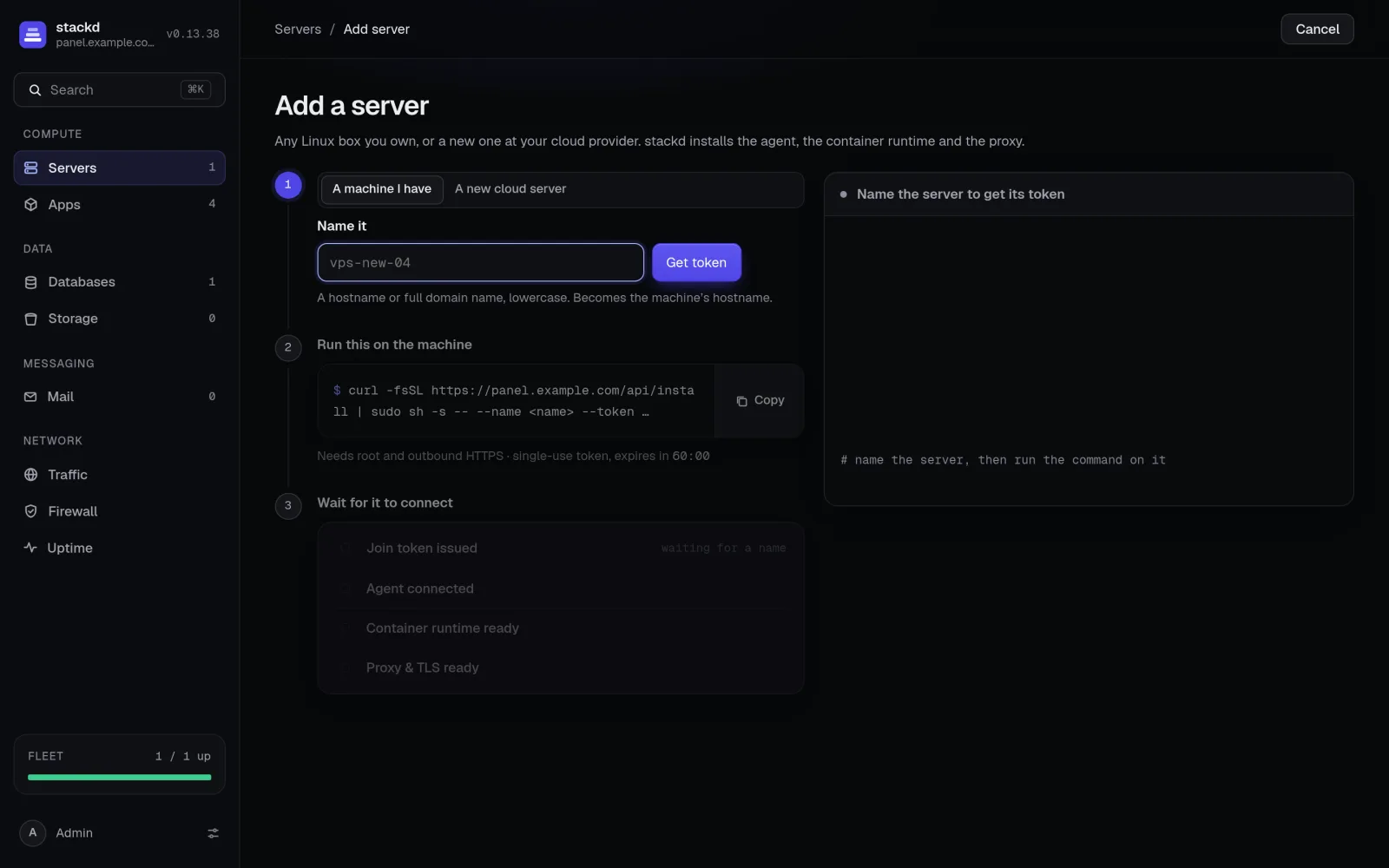
-
03
Deploy
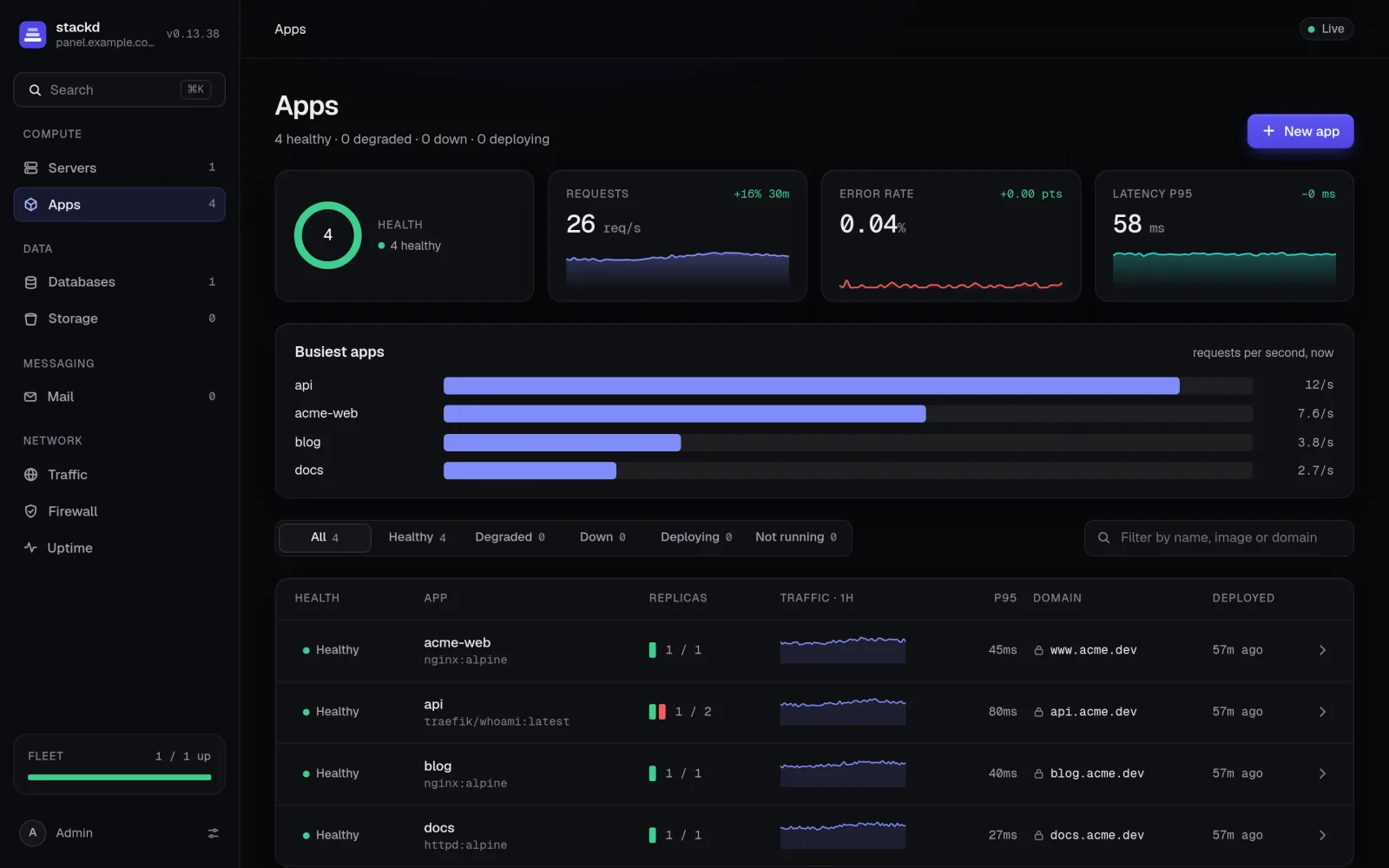
Pick an image, a repo or a template. stackd spreads replicas across servers, routes your domains with automatic TLS, and only moves traffic to a new release once its health check passes.
Health checks →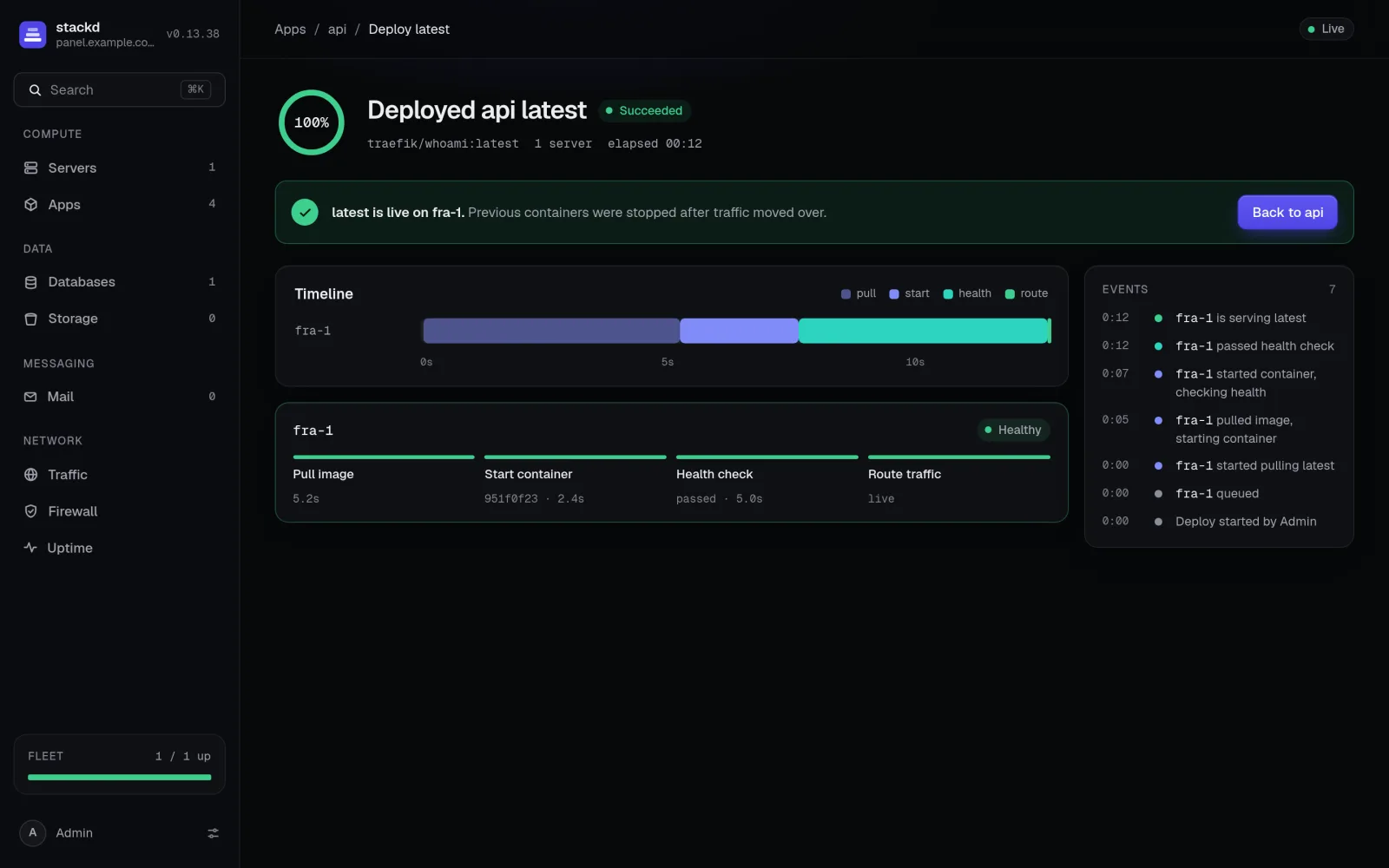
Take the tour
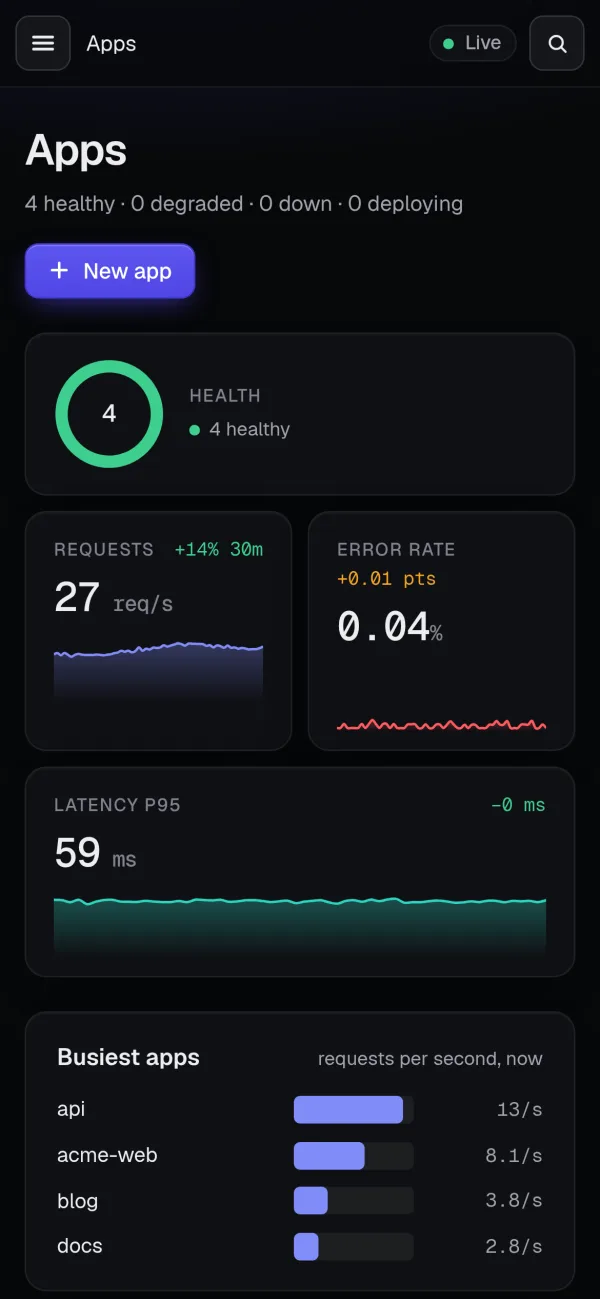
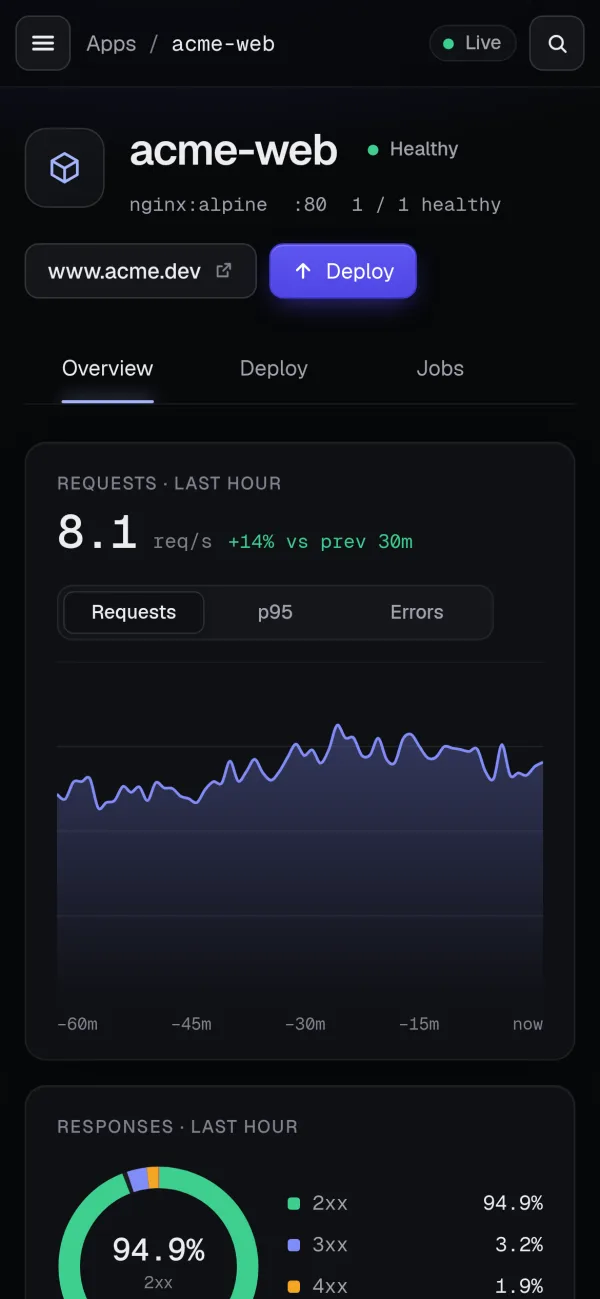
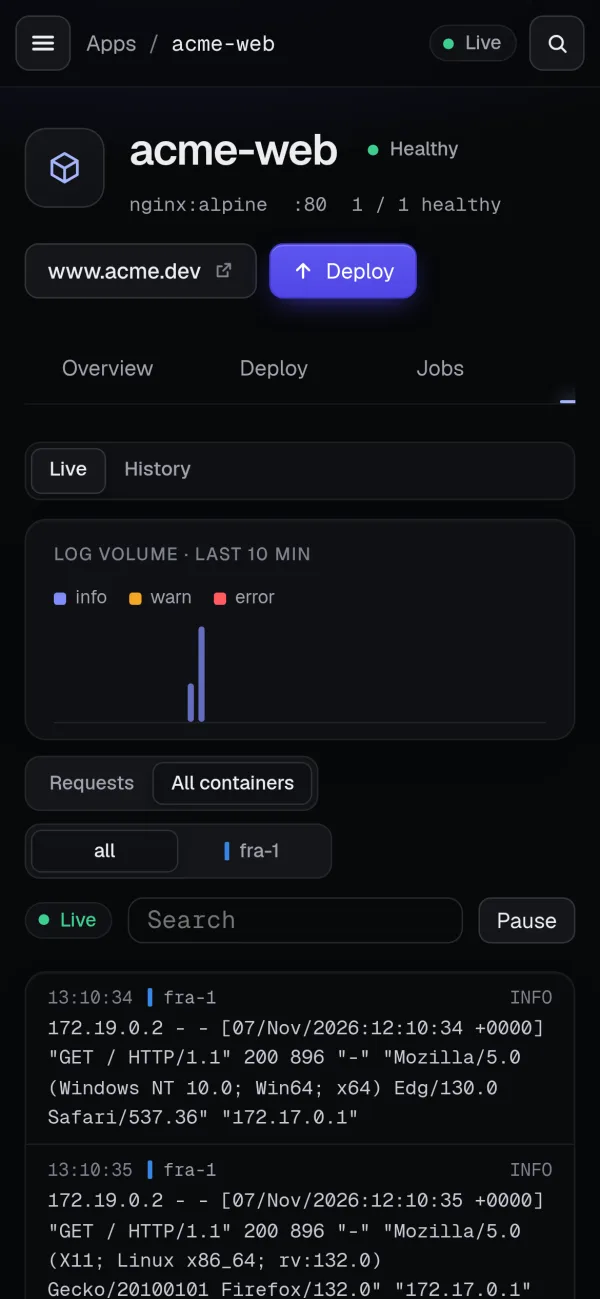
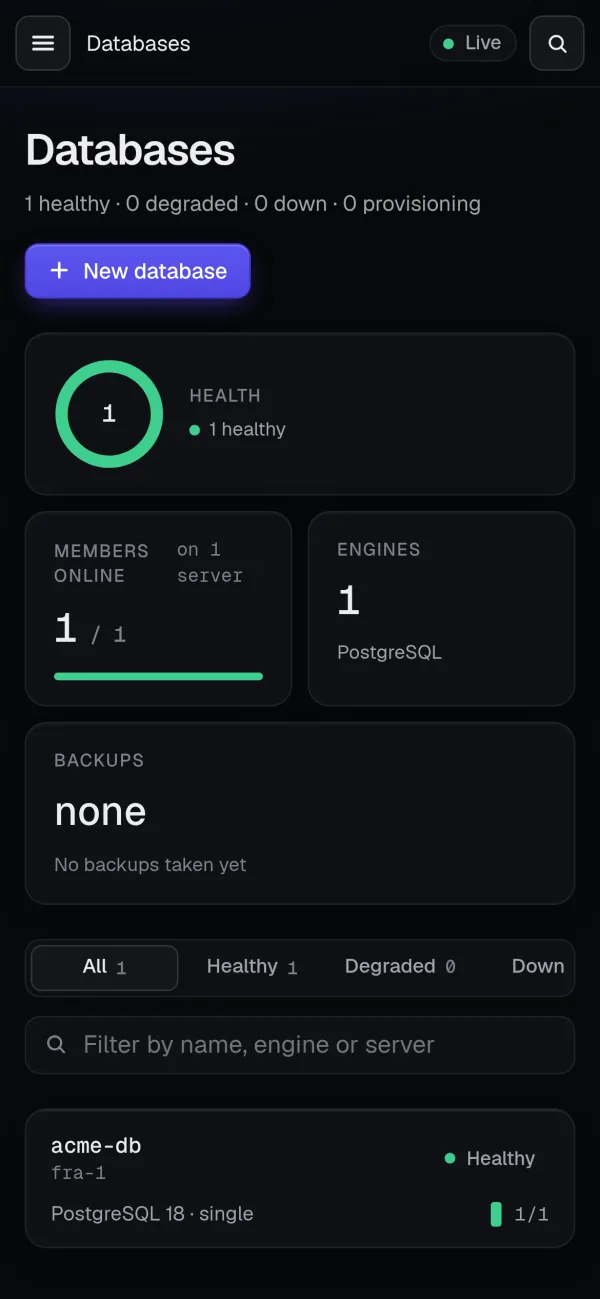
The browser is the product.
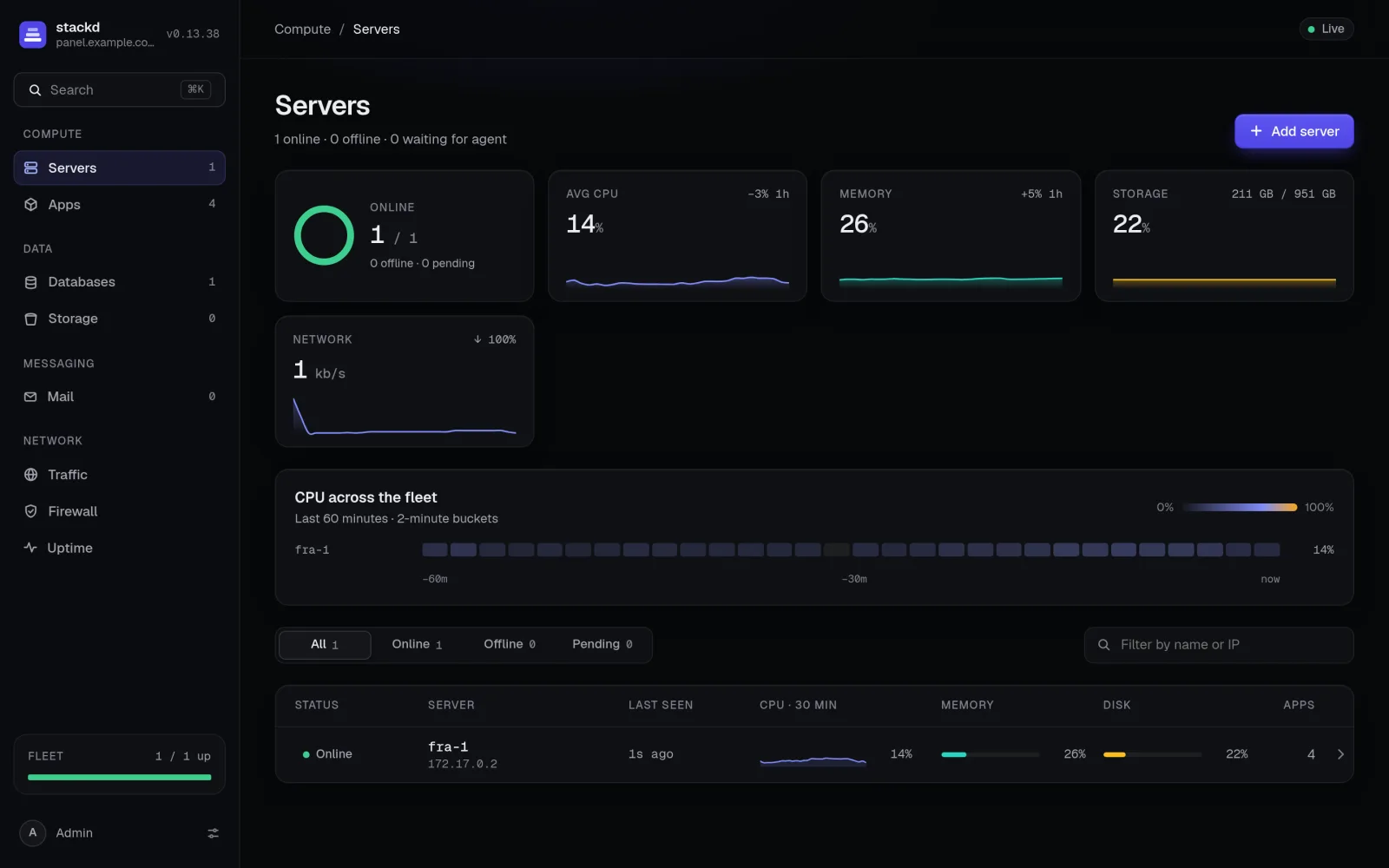
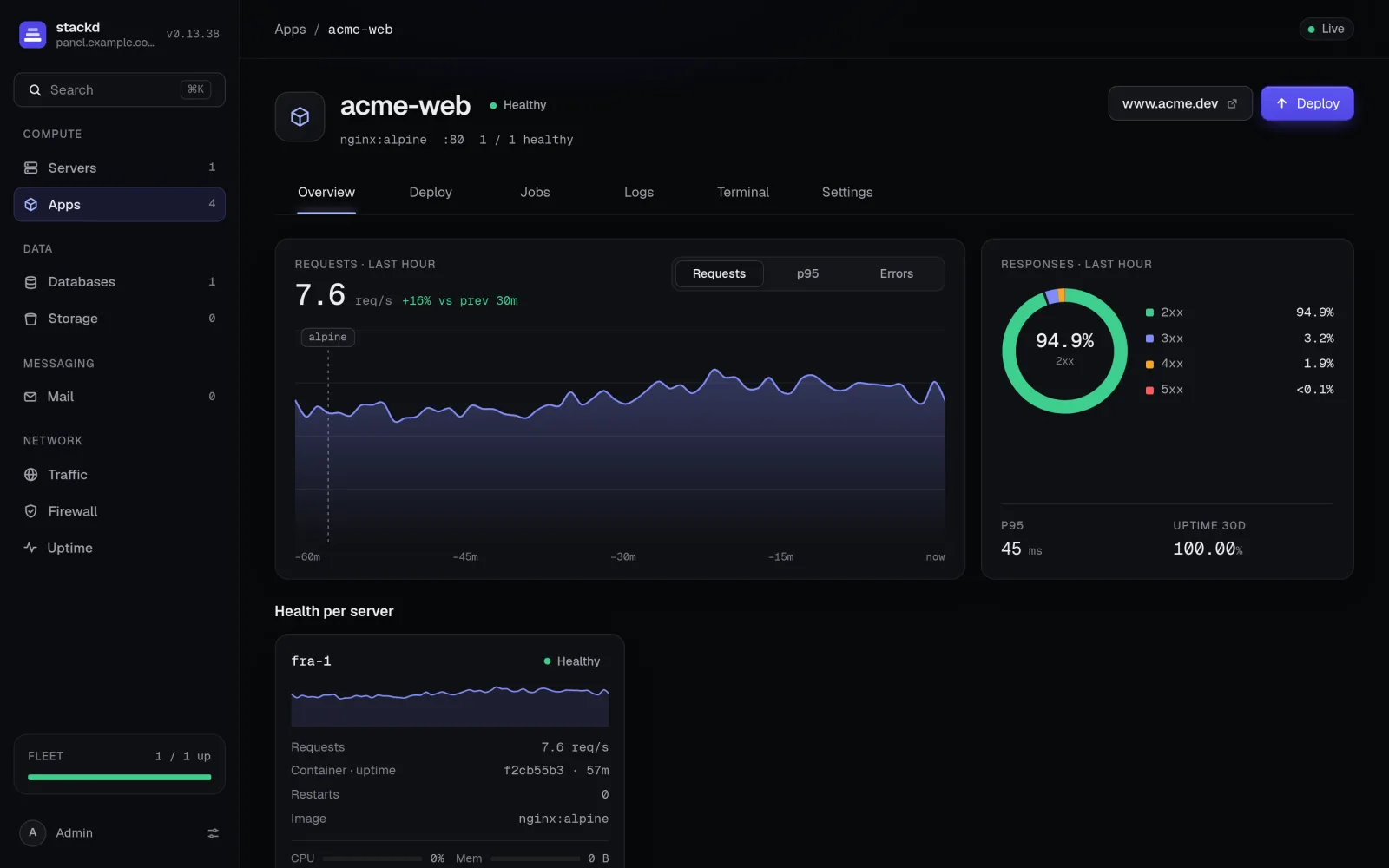
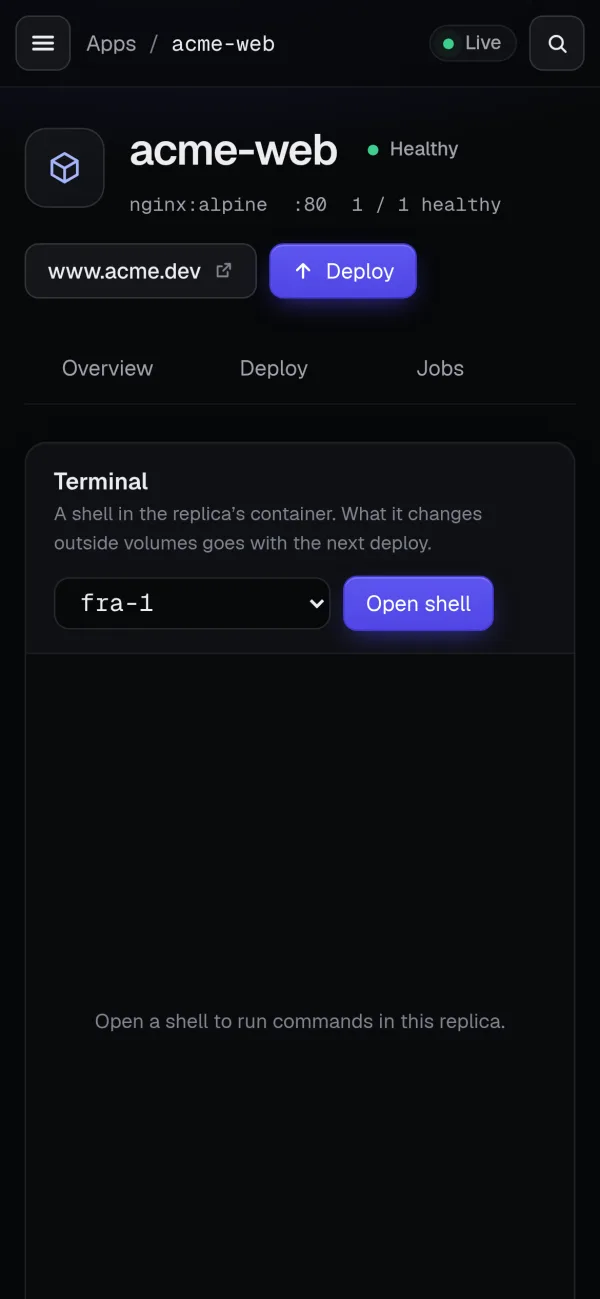
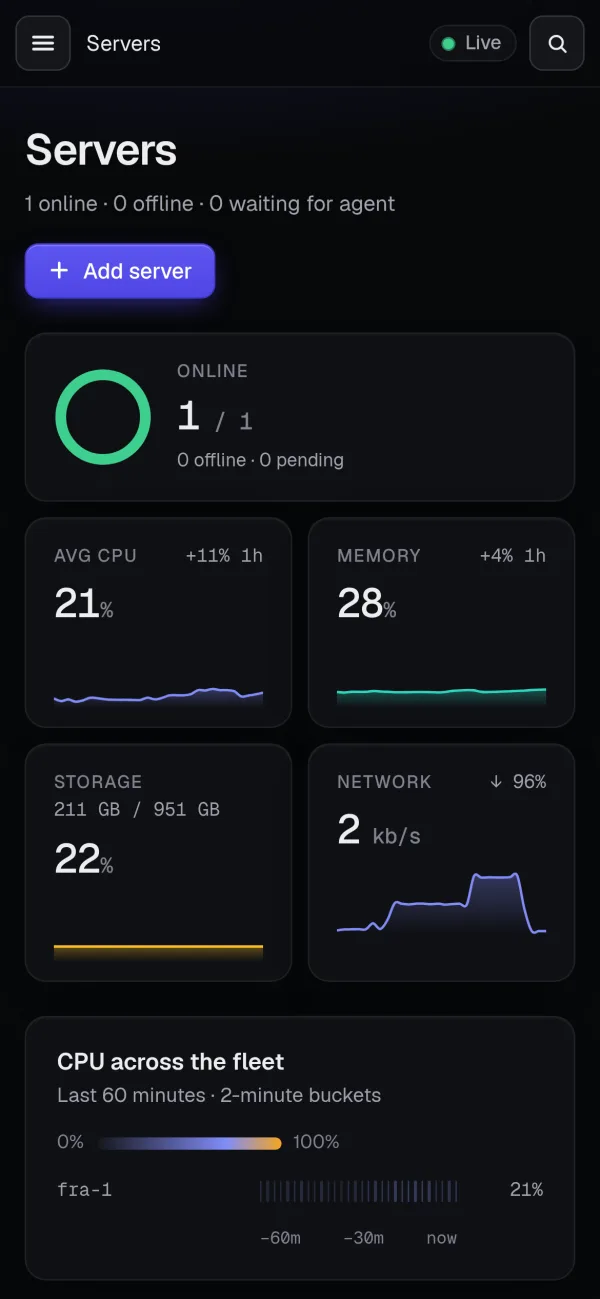
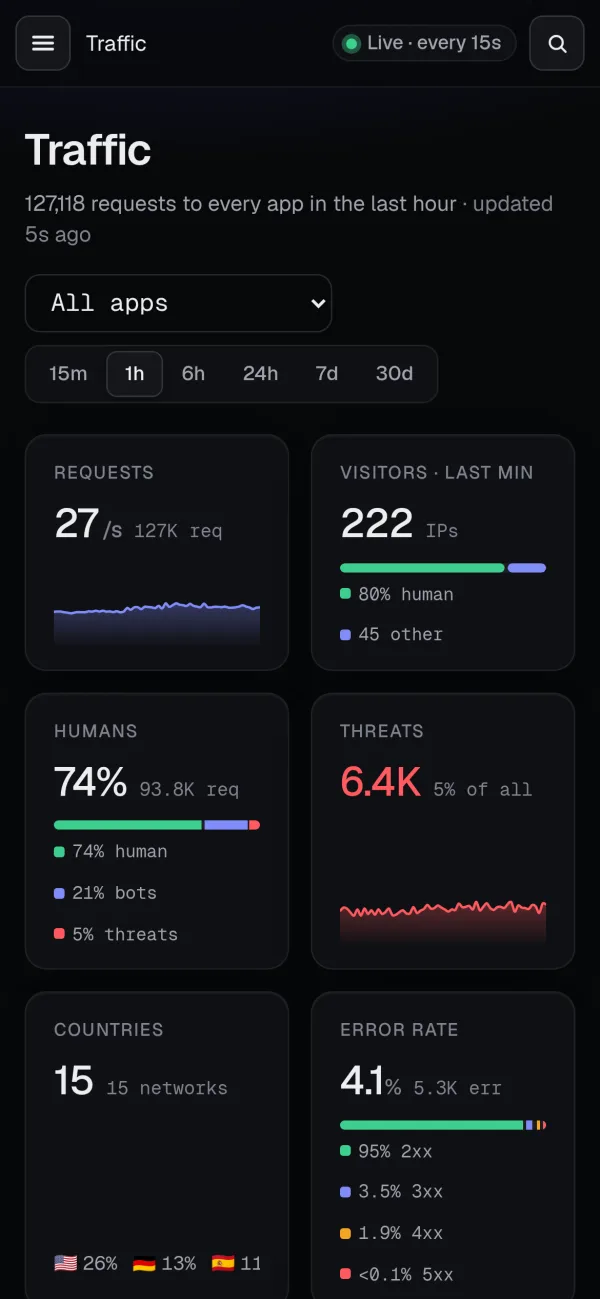
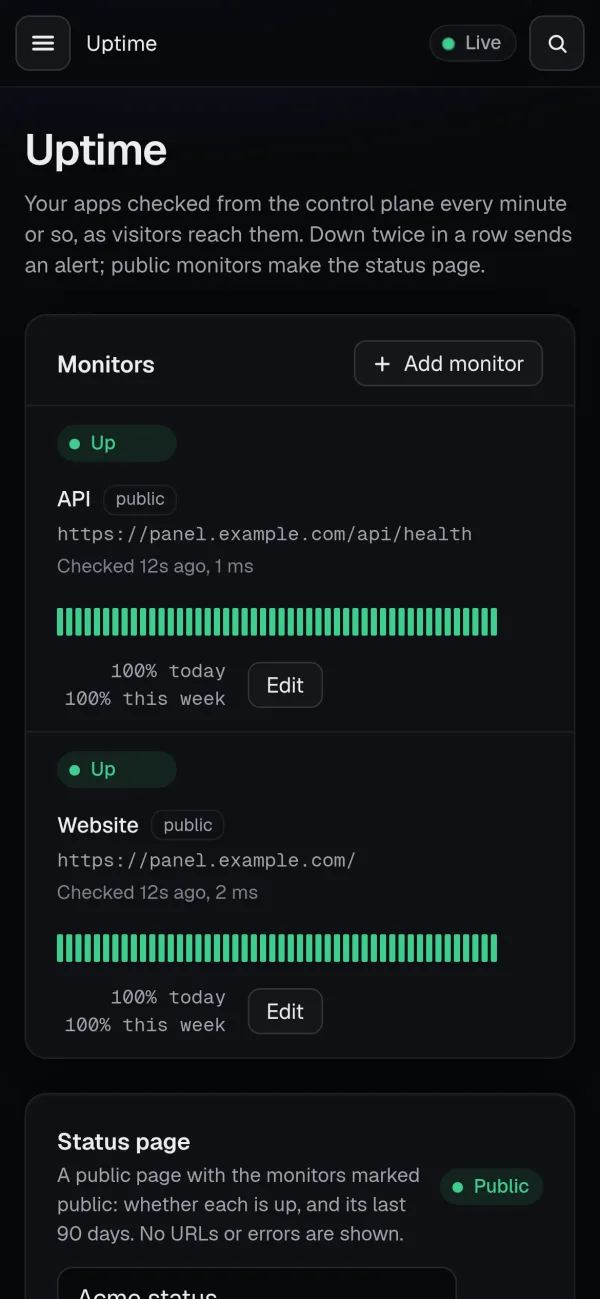
Servers, apps, deploys, logs, a terminal, traffic and uptime. Built to be read at 3am: what's broken is obvious in two seconds.
Features
A whole platform, on machines you already pay for.
Deploy anything
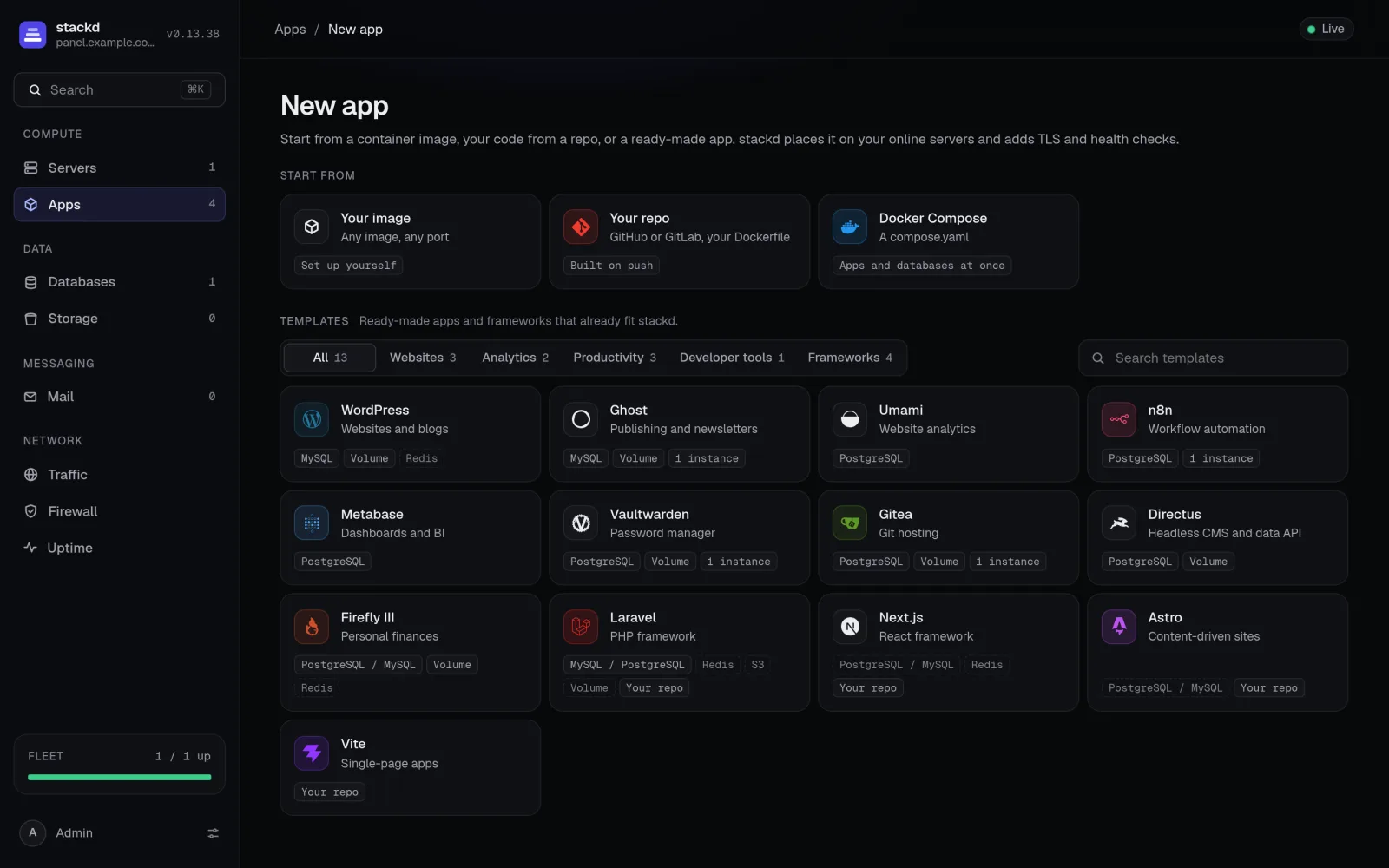
- From a container image, a GitHub or GitLab repo built with BuildKit on your servers, or a Docker Compose file.
- Templates: WordPress, Ghost, Umami, n8n, Metabase, Vaultwarden, Gitea, Directus, Firefly III, plus Laravel, Next.js, Astro and Vite from your repo.
- Preview environments for every pull or merge request.
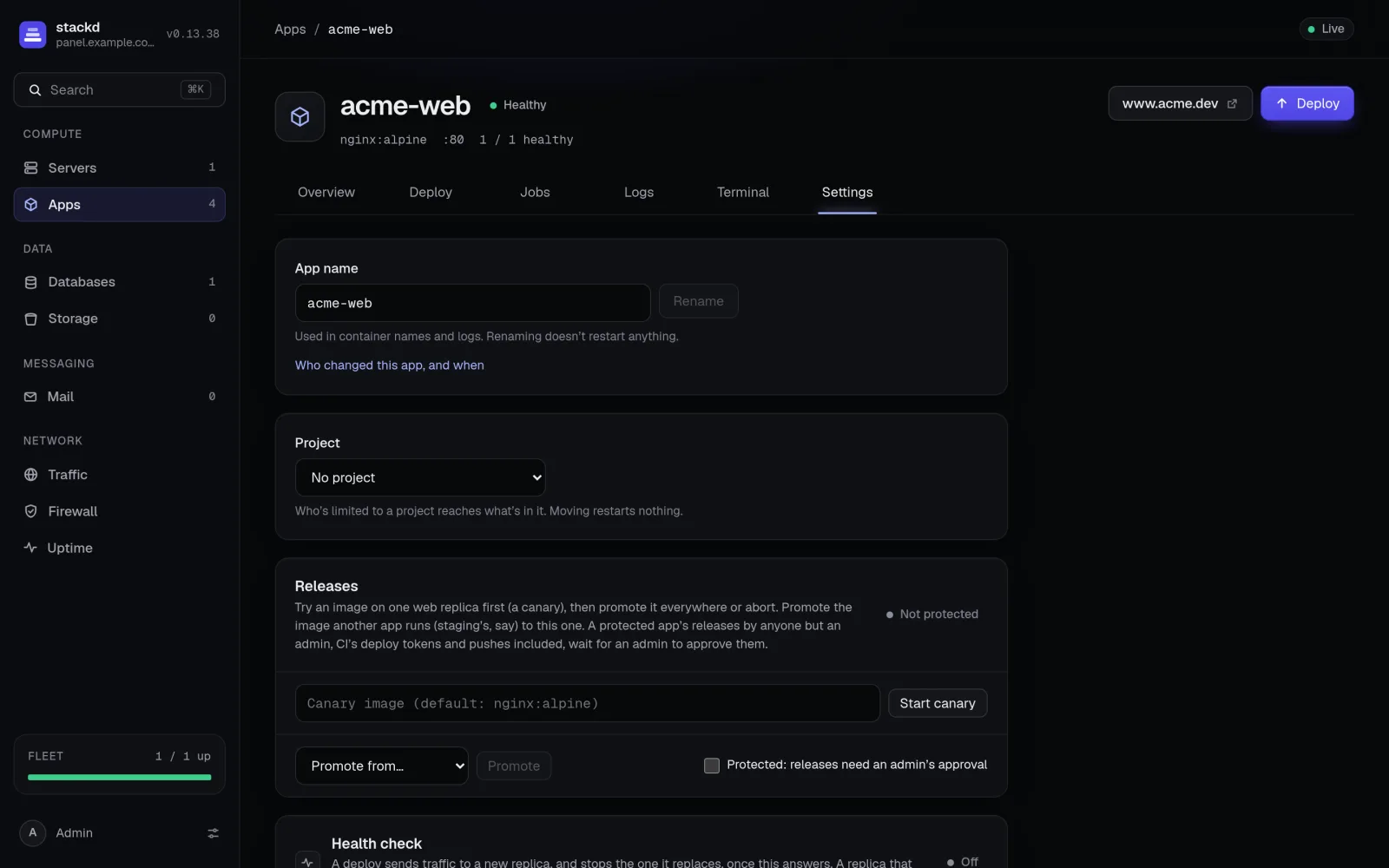
- Canary releases, promotion from staging to production, and admin approval for protected apps.
- Queue workers, schedulers, release commands and cron jobs.
Zero-downtime by default
- Health checks per app. A deploy keeps the old replica serving until the new one is healthy.
- Autoscaling by CPU and requests between a minimum and a maximum.
- Sleep when idle, wake on the next request.
- Memory and CPU limits per app.
Managed data
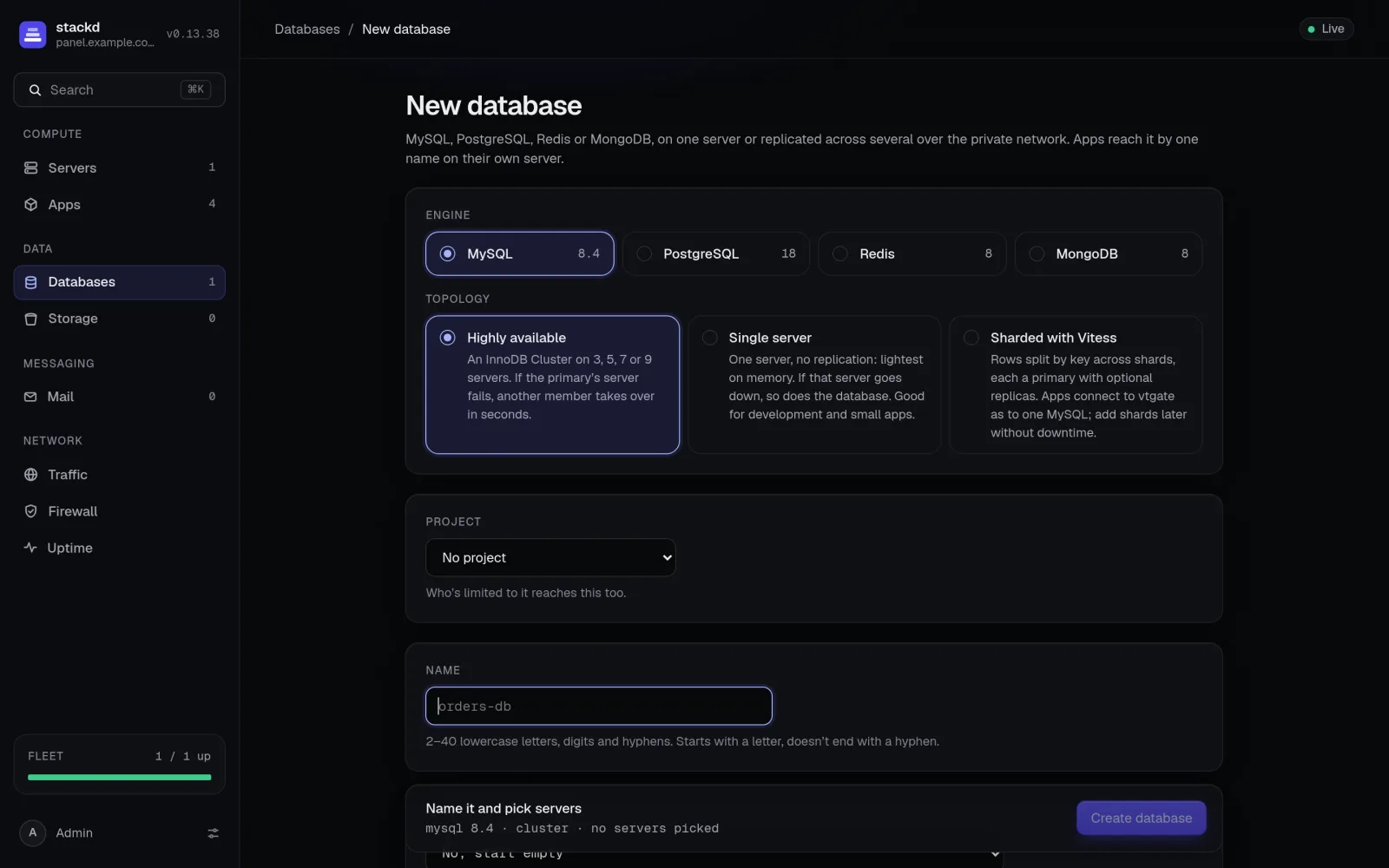
- MySQL, PostgreSQL, Redis and MongoDB, single server or highly available.
- Sharded MySQL (Vitess) and PostgreSQL (Citus).
- S3-compatible object storage on your own servers.
- Volumes: replicated, shared, or Ceph.
Security built in
- A web application firewall on every server's proxy: attack blocking, threat feeds, rate limits, country rules, browser challenges and a honeypot.
- Traffic intelligence: who visits, from where, people or bots, down to the campaigns behind the threats.
- Roles, projects, scoped API tokens, SSO with OpenID Connect, TOTP and passkeys, and an audit log.
- Hosts patch themselves on a schedule.
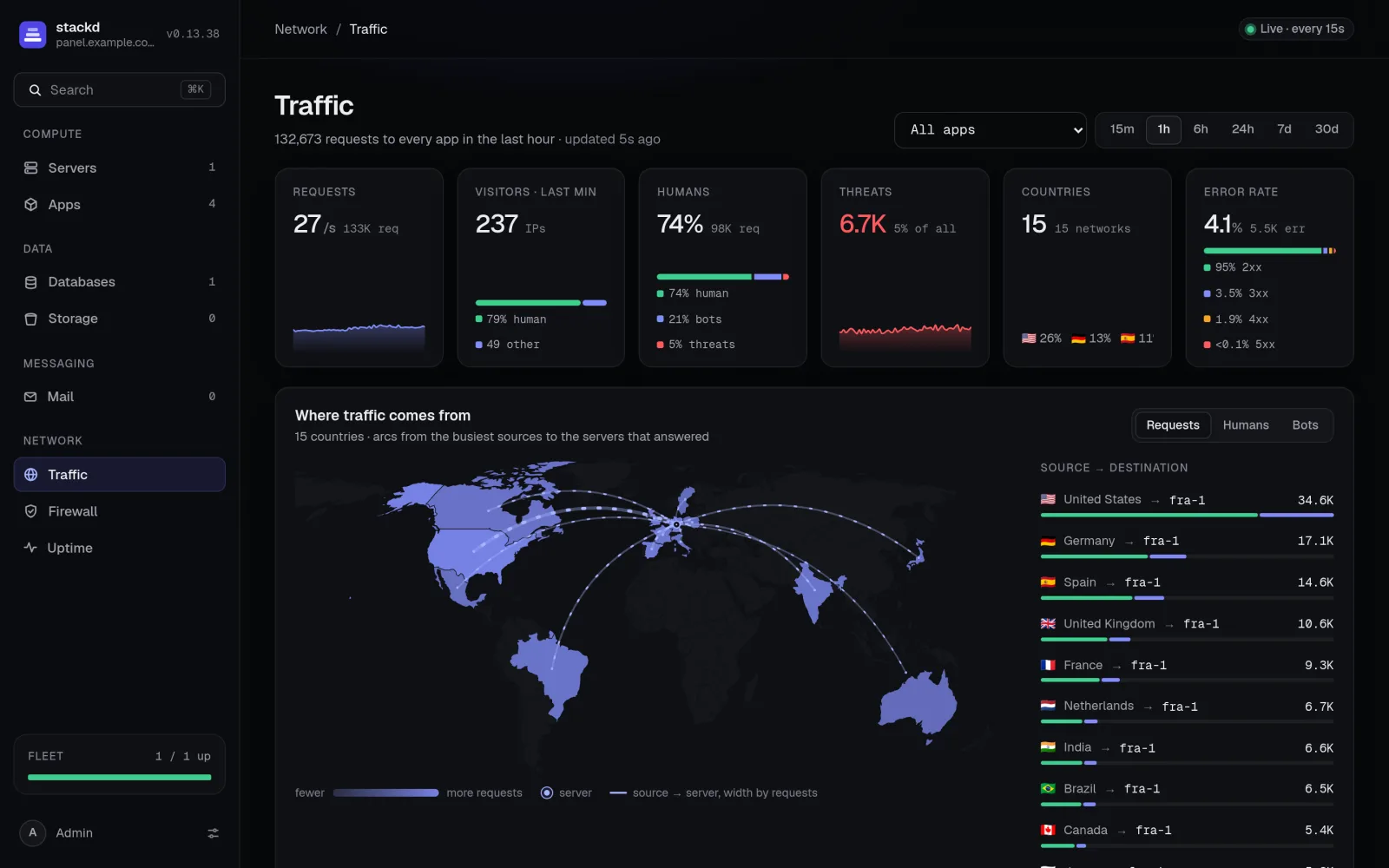
See what's happening
- Live logs per app, per replica, per process, per server.
- A shell in any running replica, from the browser.
- Uptime monitors and a public status page.
- Alerts to Slack, Discord, Mattermost, Telegram, email or any webhook.
- Prometheus metrics at
/api/metrics.
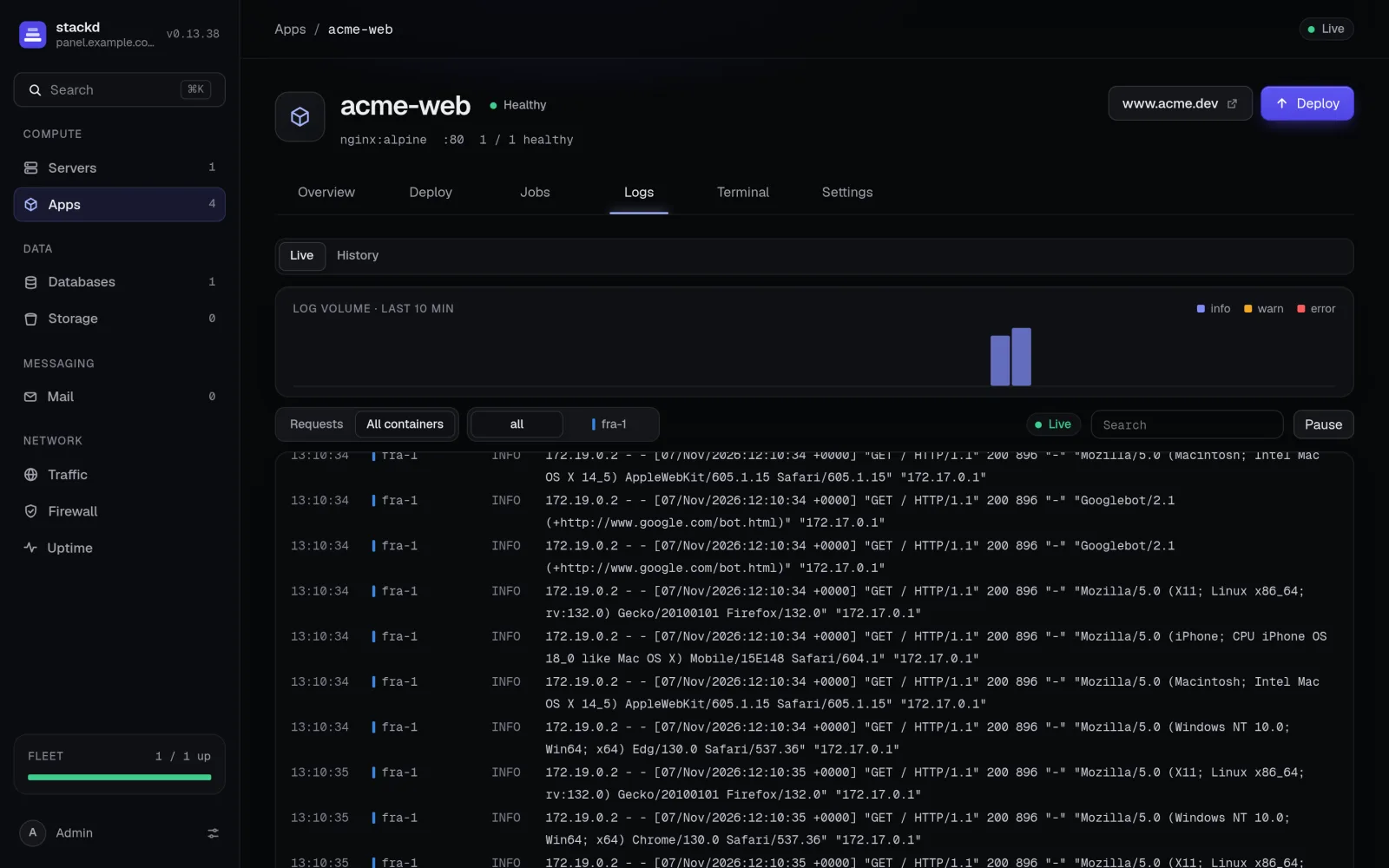
Mail, included
Run a mail server for your domains: mailboxes over IMAP, POP3, JMAP and SMTP, on one server or three or more for high availability, with the DNS records to publish.
Domains and traffic
Automatic TLS, redirects, password protection, custom headers and wildcard certificates. Raw TCP and UDP ports for game servers, MQTT and SIP. Maintenance mode and error pages.
A panel that doesn't go down
Run the panel across 3 to 9 servers with its own PostgreSQL cluster: losing one costs about 30 seconds. Daily backups to any S3 bucket. One-click updates.
CLI and config as code
The browser for daily work. The CLI for everything else.
Keep apps in a stackd.toml in your repo: stackd apply makes the panel match it, stackd export writes one from what's running. Scoped API tokens keep CI honest.
$ curl -fsSL https://get.stackd.sh/cli.sh | sh
$ stackd login https://panel.example.com
✓ logged in as admin
$ stackd deploy web --image ghcr.io/acme/web:1.4.2
  fra-1  pull → start → health healthy
  nbg-1  pull → start → health healthy
✓ web is live on https://www.acme.dev
$ stackd logs web -f
Who it's for
For people who own servers, not people who want to babysit them.
Solo developers and small teams
Hosting your own products on a couple of boxes, with the deploy experience of a hosted platform.
Agencies
Many client apps on your own hardware, split into projects, with roles, SSO and an audit log.
Infrastructure-literate people
You could wire up Docker, a proxy and certificates by hand. You'd just rather not, every day.

Install the panel.
Point a domain at your first server, then run this on it as root.
curl -fsSL https://get.stackd.sh/install.sh | sudo sh -s -- \
  --domain panel.example.com --email [email protected] --with-agent
Back up /etc/stackd/stackd.env right after: its master key decrypts every stored secret.
Servers
Debian/Ubuntu, the RHEL family, or anything Docker's install script supports. x86_64 or aarch64.
Access
Root on each server, and a domain for the panel.
Network
UDP 51820 open between servers; 80/443 open to the world on servers that serve apps.